
Mastering Speed & Torque: How to Avoid Snapped Screws with a DeWalt Impact Driver
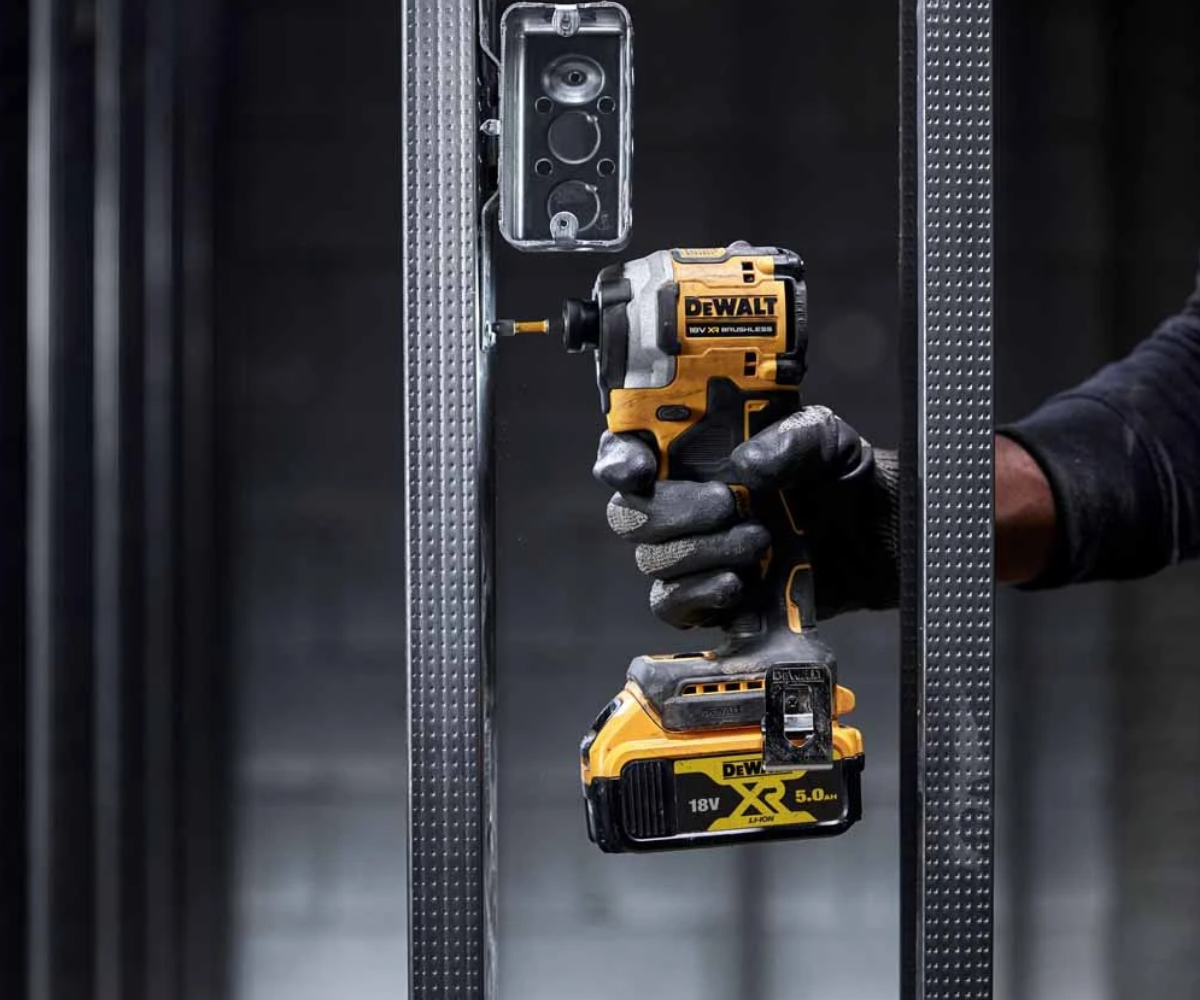
A powerful impact driver can quickly finish demanding fastening jobs, but without the right settings that extra torque can quickly become a problem. Broken screws, stripped heads and damaged timber are all too common frustrations for tradespeople, especially when dealing with smaller fasteners or delicate materials. Having the power to do the job is one thing. Knowing how to control your tool is another.
Whether you’re installing kitchen cabinets, repairing decking boards or driving heavy-duty structural screws, the right speed and torque settings can make all the difference. Modern DeWalt impact drivers feature multiple speed settings, responsive triggers and intelligent driving modes that help you work more accurately.
In this guide we’ll show you how to get the most from your DeWalt driver and impact tools, including how to use speed selectors, prevent overdriving and when an impact wrench is the better option.
Understanding Speed and Torque on a DeWalt Impact Driver
Before you start changing your settings you need to know the difference between speed and torque. They work together but have different roles in fastening applications.
- Speed (RPM): Refers to how quickly the driver rotates. Higher speeds are useful for driving longer screws quickly, while lower speeds offer greater control when starting fasteners or working with delicate materials.
- Torque (Nm): Refers to the rotational force produced by the tool. Higher torque helps drive larger screws into tougher materials, but excessive force can damage fasteners or surrounding surfaces.
- Impact rate (IPM): Measures how frequently the tool delivers rotational impacts. These impacts help overcome resistance when driving screws into demanding materials.
Unlike a standard drill driver, a DeWalt impact driver uses an internal hammer-and-anvil mechanism to deliver repeated rotational impacts when resistance increases.
This makes impact drivers particularly effective for driving long screws, building in timber and for repetitive fastening tasks. But the same mechanism can also make it easier to overtighten smaller fasteners if you’re not careful.
Why Do Screws Snap When Using an Impact Driver?
There are many reasons why screws can break or become damaged when using a high-torque impact driver.
- Using maximum speed for small or delicate screws
- Continuing to drive after the screw has fully seated
- Using screws that aren’t suitable for impact driving or the material
- Driving into dense timber without an appropriate pilot hole
- Using worn, incorrectly sized or poor-quality screwdriver bits
- Applying excessive pressure or holding the trigger for too long
The good news is that most of these problems can be avoided by choosing the right driving mode and using a controlled approach.
How to Use the 3-Speed Selector on a DeWalt Impact Driver
Many of today’s DeWalt impact drivers feature a three-speed selector that lets you change the tool’s top speed to match the different types of fastening jobs.
For instance, the DeWalt DCF850 18V XR Brushless Impact Driver has three modes of operation, one of which is a PrecisionDrive mode designed to offer more control in delicate fastening applications.
Choosing the right mode means you don’t have to use maximum power for every job and reduces the risk of damaged screw heads, overdriven fasteners and split timber.
Understanding the Different Speed Settings
| Setting | Best suited for | Main benefit |
|---|---|---|
| Low speed / PrecisionDrive | Cabinet fittings, small screws and delicate timber | Greater control when fastening |
| Medium speed | General joinery, decking and timber assembly | Balance of speed and control |
| High speed | Long construction screws and demanding fastening applications | Maximum available driving performance |
What Is DeWalt PrecisionDrive?
Some impact drivers such as the DCF850 and DCF887 feature an electronic driving mode called DeWalt PrecisionDrive.
It’s designed to give users more control when driving smaller screws to help reduce the risk of damaging the fastener or surrounding material.
PrecisionDrive modifies the impact mechanism of compatible models, resulting in a controlled driving action and a momentary pause or change in delivery when resistance increases.
This allows the user a chance to begin to release the trigger before excessive force is applied.
For example when fitting kitchen cabinet hinges, a small screw driven at full speed can quickly ruin the screw head or surrounding timber. With PrecisionDrive you get to the final tightening stage more carefully.
But PrecisionDrive is not an automatic torque-limiting clutch. Trigger control is still important, as it is still possible to overtighten or snap a screw.
When Should You Use Each Mode?
Low Speed / PrecisionDrive
Ideal for applications where accuracy is more important than speed, including:
- Installing cabinet hinges and handles
- Fitting door furniture
- Driving smaller screws into softwood
- Working with delicate timber components
Medium Speed
A practical choice for everyday fastening tasks, including:
- Installing decking boards
- Assembling timber frames
- Fixing battens and general joinery
- Driving medium-sized wood screws
High Speed
Best reserved for demanding applications that require greater driving performance, including:
- Driving long construction screws
- Securing heavy timber connections
- Repetitive fastening into dense materials
- Driving larger structural screws within the tool’s rated capabilities
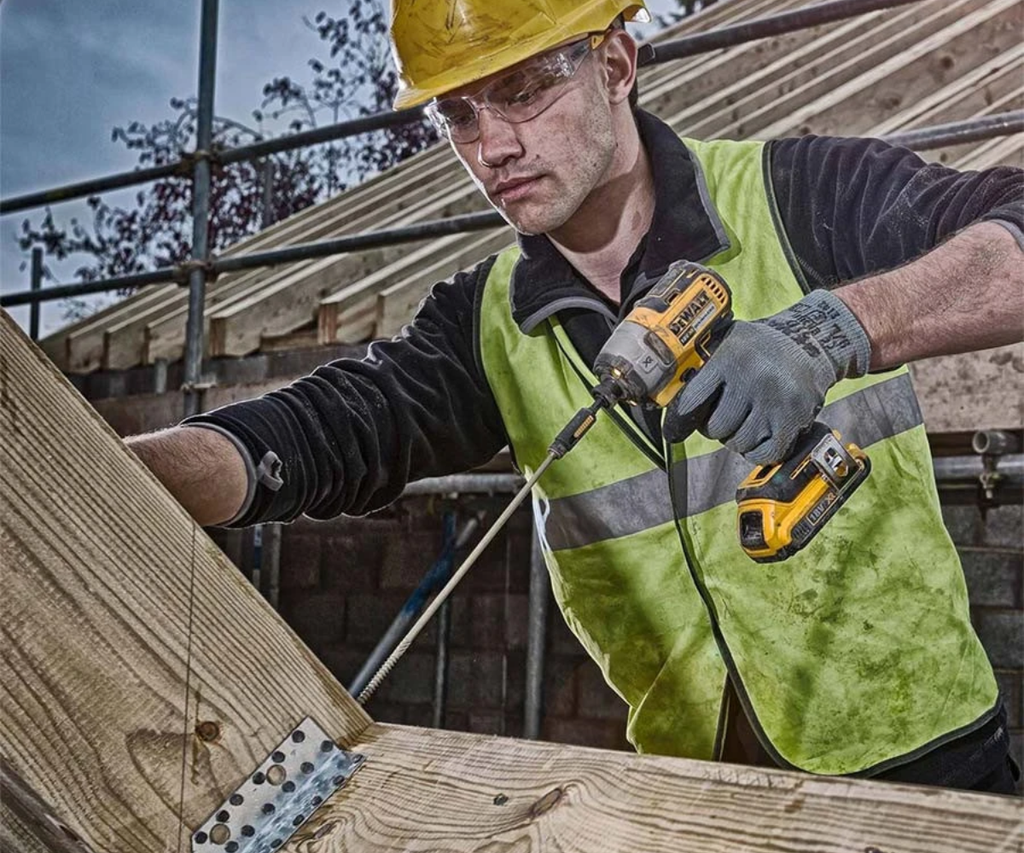
DeWalt Drill Driver vs Impact Driver: Which Offers Better Control?
One of the biggest differences between a standard DeWalt driver and an impact driver is how each tool controls fastening force.
Both can be used to drive screws, but they do it differently.
Mechanical Clutch Control on a Drill Driver
The clutch lets you choose a torque threshold. The clutch will slip so you don’t tighten any more when the resistance reaches the level you picked.
This makes a standard drill driver particularly useful in applications where consistent pressure on the fastener is important.
For example, a lower clutch setting is helpful for assembling flat-pack furniture or for installing cabinet hardware, because it helps prevent you from driving screws too deep.
The exact setting for the clutch will depend on the size of the screw, material and model of drill so it’s worth testing it on a scrap piece of material first.
Trigger Control on a DeWalt Impact Driver
A DeWalt impact driver is different.
Most impact drivers do not have a conventional adjustable slipping clutch, but have a variable speed trigger with selectable speed and electronic driving modes.
The more you squeeze the trigger , the faster it will go , up to the limit of the mode you choose .
With increased resistance , the internal impact mechanism delivers repeated rotational impacts to assist in driving the fastener further .
This makes impact drivers great for tough fastening applications, but it also means the user has to be more conscious when getting close to the final tightening stage.
Drill Driver vs Impact Driver Comparison
| Feature | DeWalt drill driver | DeWalt impact driver |
|---|---|---|
| Torque control | Adjustable mechanical clutch on most models | Trigger and electronic modes |
| Driving mechanism | Continuous rotation | Rotation with impact assistance under load |
| Small, delicate screws | Excellent | Good with careful control |
| Long construction screws | Suitable for some applications | Particularly effective |
| Risk of overdriving | Reduced with correct clutch setting | Requires greater operator control |
| Bit connection | Adjustable keyless chuck | Typically 1/4″ hex quick-release holder |
Which Tool Should You Choose?
If you do delicate assembly work, or work that requires repeatable tightening, a drill driver with an adjustable clutch is usually the better choice.
If you are working with longer screws, need to do repetitive fastening or are working with heavier timber an impact driver can give a better performance with less rotational reaction through the users wrist.
Many tradespeople carry both tools, so they can jump from controlled screwdriving to more demanding fastening tasks without having to keep changing bits or settings.
Understanding the Limits of a 1/4″ Hex Impact Driver
A DeWalt impact driver can produce impressive amounts of torque, but it is not meant for every fastening job.
Most cordless impact drivers use a 1/4” hex quick-release chuck, primarily designed for screwdriver bits, bit holders, and compatible fastening accessories.
This makes them ideal for driving screws, but some applications require the heavier duty connection and fastening capabilities of an impact wrench.
Impact Driver vs Impact Wrench
The main difference between these tools is their intended application and output connection.
A standard impact driver uses a 1/4″ hex holder, while an impact wrench typically features a square-drive anvil designed to accept impact-rated sockets.
| Feature | Impact driver | Impact wrench |
|---|---|---|
| Drive connection | 1/4″ hex | Commonly 3/8″, 1/2″ or 3/4″ square drive |
| Primary use | Screws and compatible fasteners | Nuts, bolts and heavy-duty fasteners |
| Typical applications | Decking, joinery, timber construction | Automotive, steelwork and machinery |
| Accessories | Impact-rated screwdriver bits | Impact-rated sockets |
| Fastening power | Suited to screwdriving tasks | Available in higher-torque configurations |
Although both tools use rotational impacts, impact wrenches are specifically designed for socket-based fastening and are available in much higher torque classes.
When Should You Switch to an Impact Wrench?
For screws, a 1/4 ” hex impact driver is usually the better choice . When you get up into larger nuts, bolts and socket driven fasteners, an impact wrench is more appropriate.
Consider switching to an impact wrench when:
- Removing stubborn or corroded nuts and bolts
- Working on automotive suspension or mechanical components
- Tightening large bolts in structural steelwork
- Handling repetitive heavy-duty socket fastening
- The required fastening torque exceeds the impact driver’s rated capability
Using a hex-to-square-drive adapter does not automatically make an impact driver suitable for heavy-duty impact wrench applications.
Adapters can introduce additional points of failure, particularly when used with high resistance or oversized sockets.
For heavier mechanical fastening, dedicated DeWalt impact wrenches offer a more appropriate solution.
Important: Where a manufacturer specifies a tightening torque, use a suitable calibrated torque wrench for final tightening. An impact driver or wrench should not be relied upon to deliver an exact final torque unless the tool and procedure are specifically approved for that application.
5 Tips to Prevent Snapped Screws and Stripped Heads
Even with the correct speed settings, good fastening technique is essential for protecting screws, bits and workpieces.
Here are five practical tips to help you get more consistent results from your impact DeWalt tools.
1. Start at a Lower Speed
Avoid immediately pulling the trigger fully when starting a screw.
Begin at a lower speed to help the screw engage with the material correctly, then gradually increase speed once the fastener is properly aligned.
This is particularly important when working close to timber edges or installing smaller screws.
2. Use Impact-Rated Screwdriver Bits
Standard screwdriver bits may wear or fracture prematurely when exposed to the repeated rotational impacts of an impact driver.
Using impact-rated screwdriver bits helps improve durability under demanding fastening conditions.
Always match the bit profile and size to the screw head. For example, using a Phillips bit in a Pozidriv screw can cause slipping and damage even when the tool is correctly adjusted.
Replace worn bits before they begin rounding screw heads.
3. Drill Pilot Holes When Necessary
When working with dense hardwoods, larger screws or fasteners positioned close to the edge of a timber board, pilot holes can significantly reduce the risk of splitting and snapped screws.
A correctly sized pilot hole reduces the resistance encountered during driving, allowing the screw to seat more smoothly.
Follow the fastener manufacturer’s guidance for pilot-hole diameter and depth, particularly when using structural screws.
4. Ease Off the Trigger Before the Screw Is Fully Seated
One of the most effective ways to prevent overdriving is to reduce speed as the screw approaches the surface.
Rather than continuing at full speed until the head is flush, slow down for the final few turns.
This provides greater control and reduces the chance of damaging the screw head or surrounding material.
For delicate finishing work, consider completing the final tightening by hand or with a clutch-controlled drill driver.
5. Choose the Right Screw for the Job
Not every screw is suitable for use with a high-torque impact driver.
Smaller, brittle or unsuitable fasteners can fracture when exposed to excessive driving force, particularly in dense materials.
Choose screws designed for the intended application, and check whether the manufacturer permits impact-driver use.
For structural timber connections, always follow the fastener manufacturer’s installation requirements rather than assuming maximum impact torque will provide the strongest fixing.
Choosing the Right DeWalt Impact Driver for Your Work
Different fastening jobs demand different levels of performance, so choosing the correct tool can make a noticeable difference to both productivity and control.
Here are three DeWalt impact drivers worth considering.
| Model | Key advantage | Best suited for |
|---|---|---|
| DeWalt DCF850 18V XR Brushless Impact Driver | Ultra-compact design with three operating modes | Confined spaces, cabinetry and general fastening |
| DeWalt DCF887 18V XR Brushless Impact Driver | Three-speed control with PrecisionDrive | General trade use, joinery and construction |
| DeWalt DCF870 18V XR Hydraulic Impact Driver | Hydraulic mechanism designed for quieter operation | Indoor work and noise-sensitive environments |
DeWalt DCF850: Compact Control
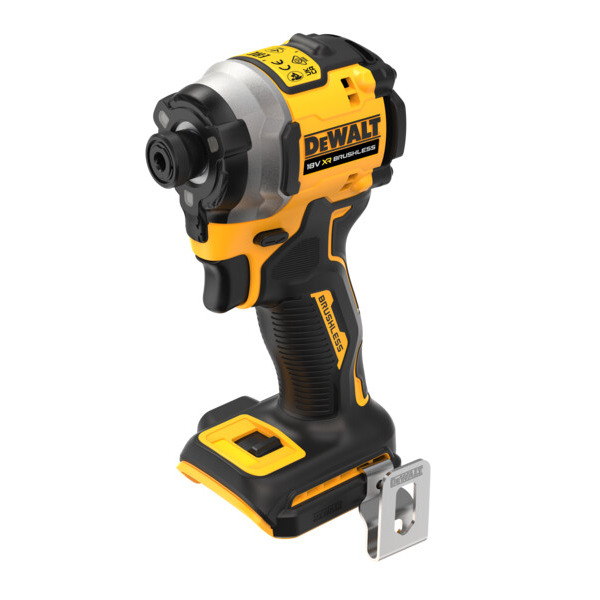
The DCF850 is a particularly useful choice for tradespeople working in confined spaces.
Its compact head design makes it easier to reach awkward fastening positions, while its three operating modes provide flexibility across different applications.
DeWalt DCF887: Versatile Everyday Performance
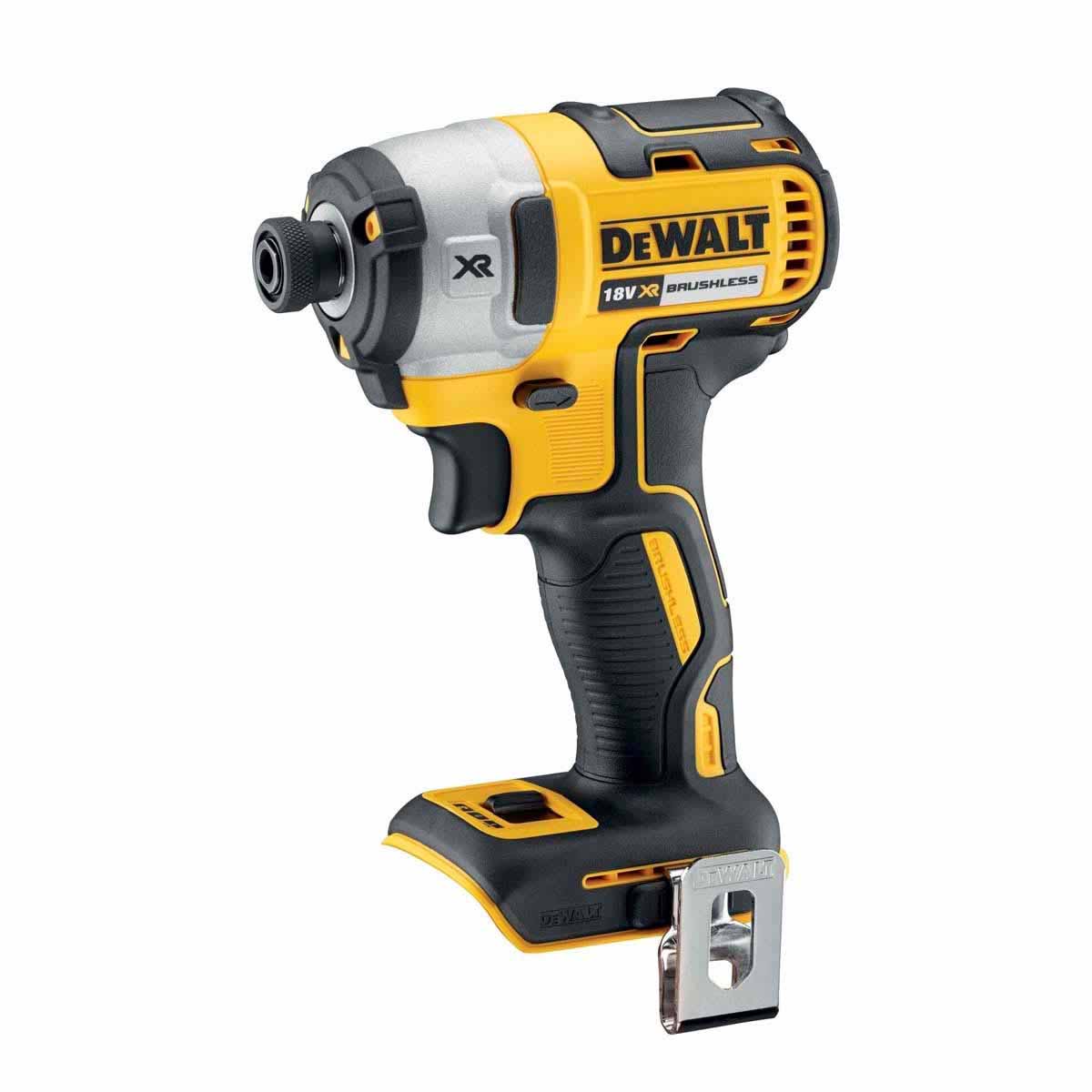
The DCF887 combines powerful fastening performance with three-speed control and PrecisionDrive.
It’s a versatile option for joiners, builders and installers who regularly switch between smaller screws and more demanding construction fasteners.
DeWalt DCF870: Quieter Hydraulic Fastening
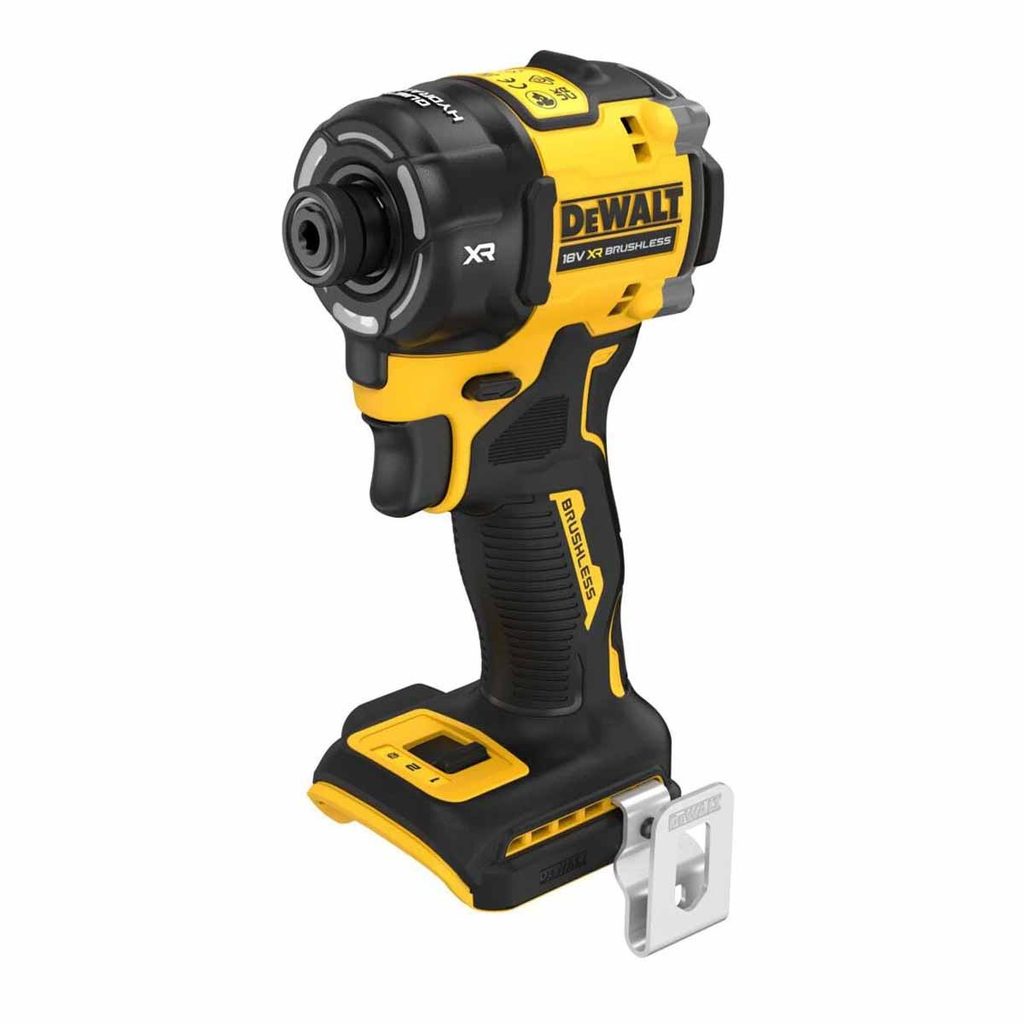
The DCF870 uses a hydraulic impact mechanism designed to reduce operating noise compared with conventional impact drivers.
This makes it especially useful for indoor installations, occupied buildings and environments where reducing noise is important.
However, hydraulic impact drivers have different performance characteristics from conventional high-torque models, so it’s worth considering the type of fasteners you use most frequently.
Conclusion: Get More Control from Your DeWalt Impact Driver
Mastering speed and torque isn’t simply about using the most powerful setting available. It’s about understanding how your tool behaves and choosing the right amount of driving force for each application.
By selecting an appropriate speed mode, using PrecisionDrive where available and easing off the trigger before the screw is fully seated, you can significantly reduce the risk of stripped heads, snapped screws and damaged materials.
Combining these techniques with quality impact-rated bits, suitable screws and correctly sized pilot holes will help you achieve cleaner, more consistent fastening results.
Whether you’re upgrading your existing kit or choosing your first impact driver, explore the full range of DeWalt impact drivers and fastening tools at Toolden to find the right solution for your next project.
Frequently Asked Questions
What speed should I use on a DeWalt impact driver?
The best speed depends on the size of the screw and the material you’re working with. Lower speeds are generally better for smaller screws and delicate timber, while higher speeds are useful for driving longer construction screws. If your DeWalt impact driver features PrecisionDrive, this can provide additional control during delicate fastening applications.
Why does my DeWalt impact driver keep snapping screws?
Screws can snap when excessive driving force is applied, particularly when using high-speed settings, unsuitable screws or driving into dense timber without pilot holes. To reduce the risk, start at a lower speed, use appropriate fasteners and ease off the trigger as the screw approaches its final position.
Does a DeWalt impact driver have adjustable torque?
Most DeWalt impact drivers do not feature a conventional mechanical torque-limiting clutch like a standard drill driver. Instead, they typically offer variable-speed triggers and, on selected models, electronic driving modes. These help control fastening performance but do not guarantee a specific tightening torque.
Can I use a DeWalt impact driver to remove wheel nuts?
A 1/4″ hex DeWalt impact driver is not generally recommended for removing wheel nuts. A suitable square-drive impact wrench is the better choice for automotive wheel fasteners. Always use appropriately rated sockets and follow the vehicle manufacturer’s torque specifications when refitting wheels, using a calibrated torque wrench for final tightening.
What is the difference between a DeWalt impact driver and an impact wrench?
A DeWalt impact driver typically uses a 1/4″ hex holder and is designed primarily for driving screws and compatible fasteners. An impact wrench uses a square-drive anvil to operate impact-rated sockets and is intended for nuts, bolts and heavier mechanical fastening applications. The right choice depends on the fastener type and the torque required.
Need some help with your order? Our new help centre has a wide range of helpful articles and guides!
If you have any additional queries, please do not hesitate to contact us below: